
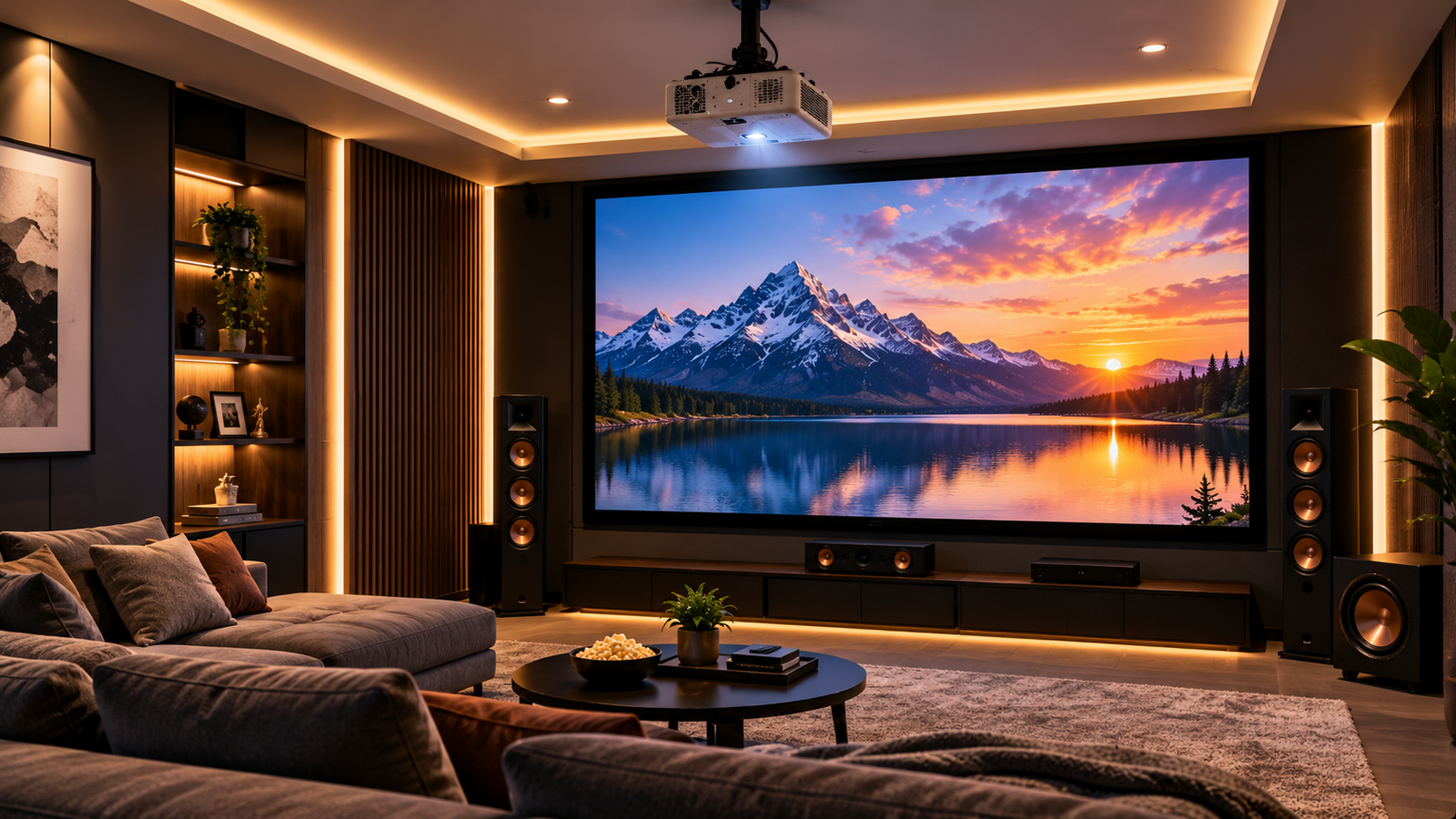
How to Build the Perfect Home Theatre Setup: Projector, Screen & Audio
There's a reason home theatres have exploded in popularity — nothing beats the feeling of dimming the lights, hitting play, and watching a movie the way it was meant to be seen. But building a home theatre that actually delivers that experience takes more than just buying a projector and calling it done. You need the right combination of projector, screen, audio, and room setup working together.
Let's break down exactly how to get it right.
1. Projector Selection: The Heart of Your Setup
Your projector sets the tone for everything else, so it's worth getting this choice right first.
Brightness (Lumens)
For a dedicated home theatre room with controlled lighting, 1,500–2,500 lumens is usually enough. If your room has some ambient light or you can't fully block out windows, aim higher — 2,500–3,500 lumens.
Resolution
Full HD (1080p) is the minimum for a satisfying cinematic experience, but 4K UHD has become the go-to for movie lovers who want true sharpness and detail, especially on larger screens.
Contrast Ratio
Don't overlook this spec. A high contrast ratio is what gives you deep blacks and vivid colors — critical for movie watching. Look for at least 100,000:1 for that true "theater" feel.
Throw Distance
Measure your room before buying. Short throw projectors work well in smaller rooms, while long throw models are better suited for larger spaces where the projector sits farther from the screen.
2. Projection Screen: Don't Skip This
A common mistake is projecting straight onto a wall. It technically works, but a dedicated projection screen dramatically improves image quality, color accuracy, and brightness.
Screen Material Matters
- Matte white screens offer the widest viewing angle and are great for most rooms
- High-contrast grey screens help improve black levels in rooms with some ambient light
- Acoustically transparent screens let you place your center speaker directly behind the screen — a favorite among true home theatre enthusiasts
Screen Size
As a rule of thumb, sit about 1.5x the screen's diagonal size away from it. A 120-inch screen, for example, pairs well with a seating distance of roughly 12–15 feet.
3. 5.1 Audio: Sound Is Half the Experience
Picture quality only tells half the story — audio is what truly makes a home theatre feel immersive.
A 5.1 surround sound system is the standard starting point and includes:
- Center channel – Handles dialogue clarity (arguably the most important speaker)
- Front left & right speakers – Carry music, effects, and general sound
- Surround left & right speakers – Placed behind or beside the seating area for immersive ambiance
- Subwoofer – Delivers deep bass for explosions, action scenes, and music
Speaker placement matters just as much as the equipment itself. The center channel should sit directly above or below the screen, front speakers angled toward the seating position, and surround speakers positioned slightly behind and above ear level.
For those wanting an even more immersive experience, upgrading to 7.1 or Dolby Atmos setups adds height and rear channels for true 3D sound.
4. Room Setup: Where It All Comes Together
Even the best equipment underperforms in a poorly optimized room.
Lighting Control
Use blackout curtains or shades to eliminate ambient light. This alone can dramatically improve perceived brightness and contrast, even with a mid-range projector.
Wall & Ceiling Color
Dark, matte walls and ceilings reduce light reflection and improve image contrast — avoid white or glossy surfaces in your viewing room.
Seating Position
Center your seating with the screen, keeping ears at roughly the same height as the front speakers for accurate sound staging.
Cable Management & Ventilation
Plan for proper cable routing and ensure your projector has adequate ventilation, especially in enclosed cabinets or ceiling mounts, to avoid overheating during long movie nights.
Final Thoughts
A truly great home theatre isn't about buying the most expensive projector or the loudest speakers — it's about how well every component works together. Get your projector brightness and resolution right, invest in a proper projection screen, build out a solid 5.1 audio system, and optimize your room setup, and you'll have a home theatre experience that rivals — or beats — your local cinema.
